Configure provider information
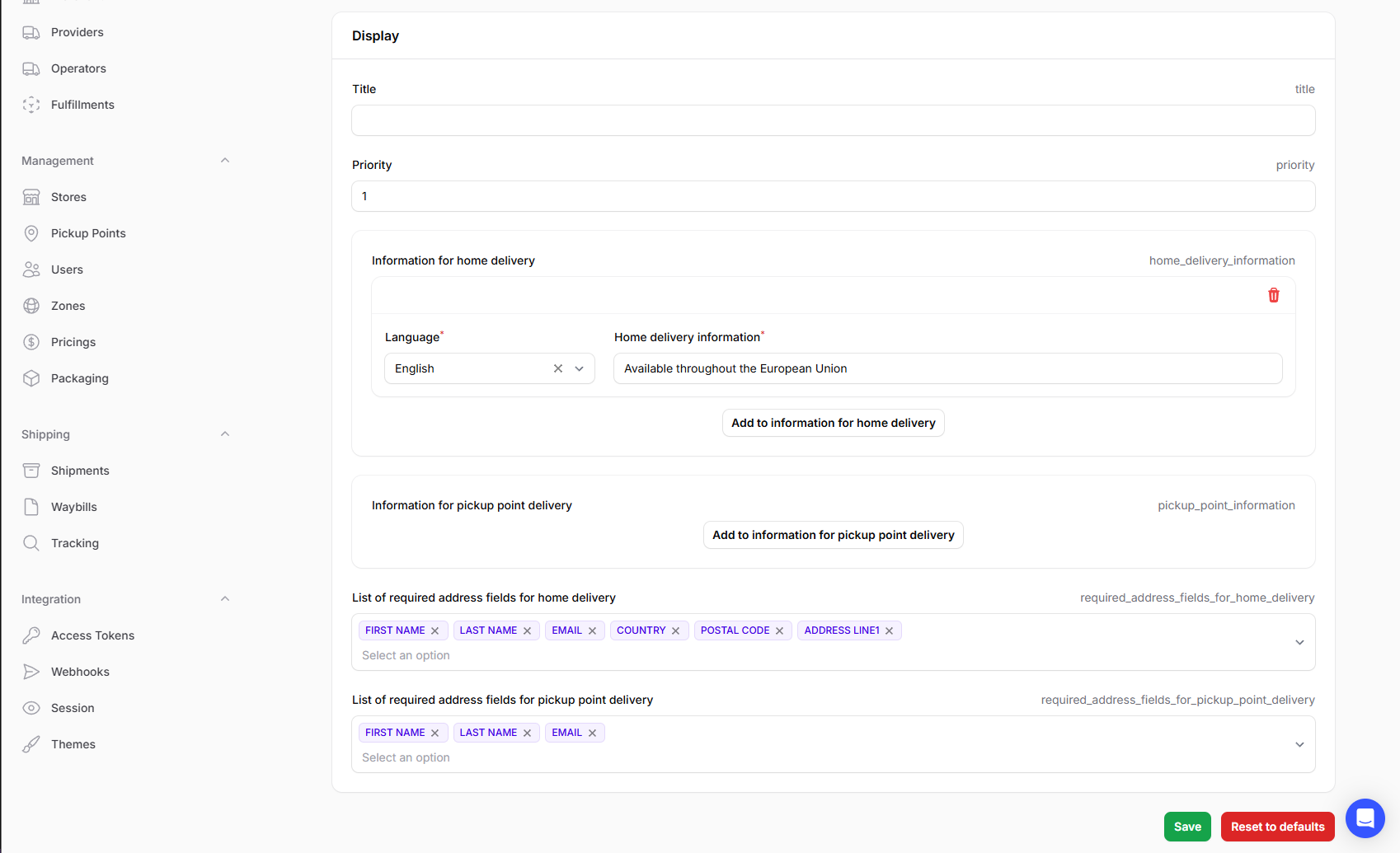
You can configure default information for each provider: this information is displayed when a customer can select from different providers on the embedded UI. The information includes:
- A title.
- Provider priority.
- Information for both home delivery and pickup point delivery.
- The required address fields that the customer must provide when selecting the provider in question.
note
All information is optional. Your customers will be able to use an enabled provider even if all of these fields are left blank.
To configure the information:
- Log in to the Delivery Gateway admin dashboard.
- In the left menu bar, find Configuration, and select Providers.
-
Select a provider.
-
Find the Display section.
-
Fill out the fields you need:
- Title
- Priority: Takes an integer. The lower the number, the higher the priority.
- Information for home delivery: Click Add to information for home delivery then select a language and type your information.
- Information for pickup point delivery: Click Add to information for home delivery then select a language and type your information.
- List of required address fields for home delivery: Select all options you need from the dropdown menu.
- List of required address fields for pickup point delivery: Select all options you need from the dropdown menu.
-
Click Save.