Log in to the admin dashboard
The Delivery Gateway admin dashboard allows you to configure your delivery settings, manage providers, and customize your checkout experience.
There are two ways to access the admin dashboard, depending on your setup.
Shopify
If you have a Shopify store with the Delivery Gateway app installed:
- Open your Shopify admin panel.
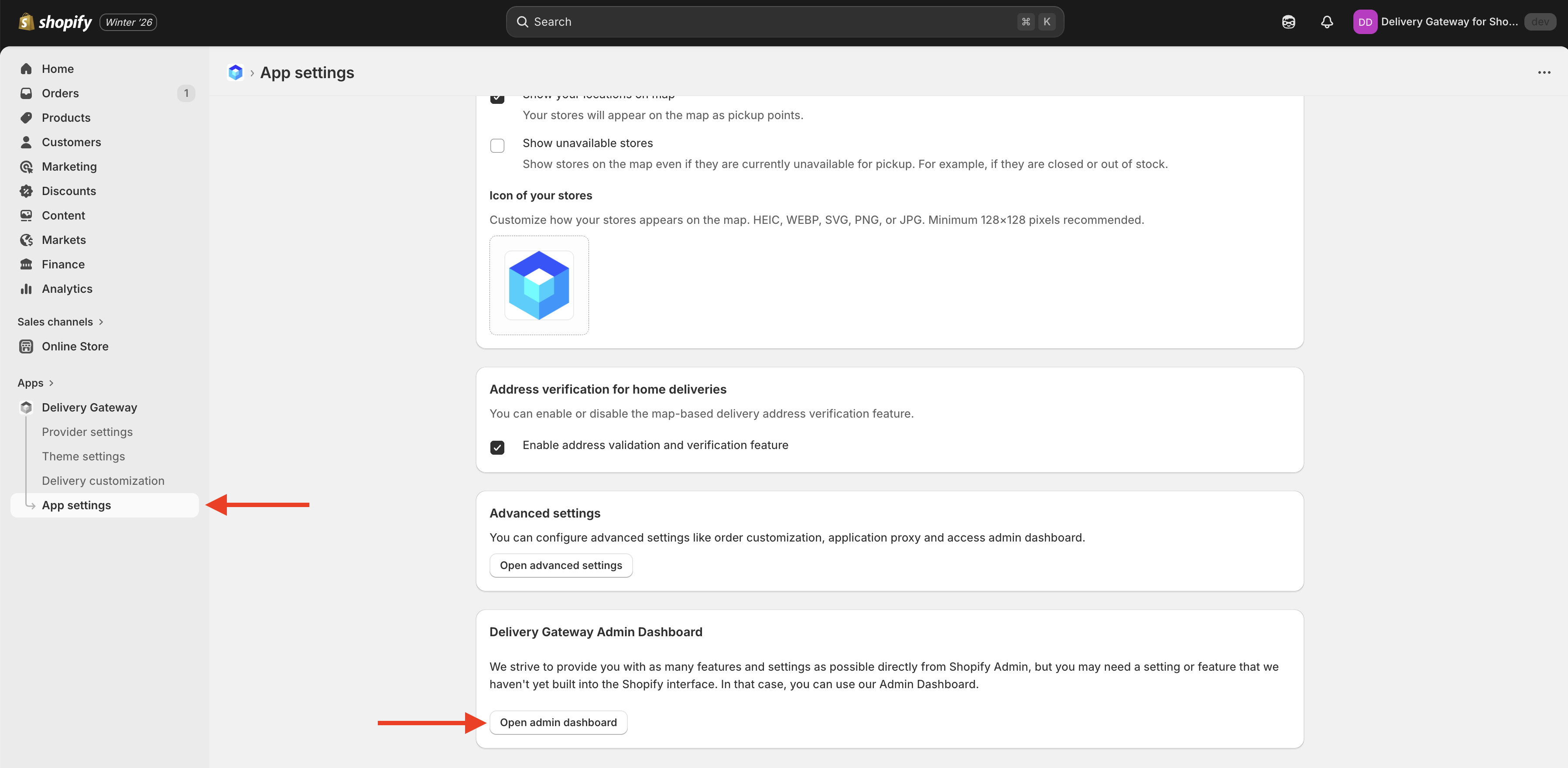
- Navigate to Apps and select Delivery Gateway.
- In the app, go to App settings.
- Click the Open admin dashboard button.
This will automatically log you in to the Delivery Gateway admin dashboard.
Other platforms
If you're using Delivery Gateway with a different e-commerce platform or a custom integration:
- Go to https://admin.deliverygateway.io/.
- Log in with your Delivery Gateway credentials.
If you don't have credentials yet, contact your administrator or the Delivery Gateway support team.
Next steps
Once you're logged in, you can: