Create access token
To make any request to the Delivery Gateway Merchant API, you must create an access token using the Bearer Authentication schema.
You can create and manage Bearer access tokens via the API itself: Create Bearer token with the API
- Log in to the Delivery Gateway admin dashboard.
-
Find Access Tokens on the left.
-
In the top right corner, click New Access Tokens.
-
Set a name and optionally, an expiration date.
If you leave the expiration date empty, your token will never expire. For security reasons, we recommend regularly regenerating your tokens.
-
In the Roles dropdown menu, select all the roles you need.
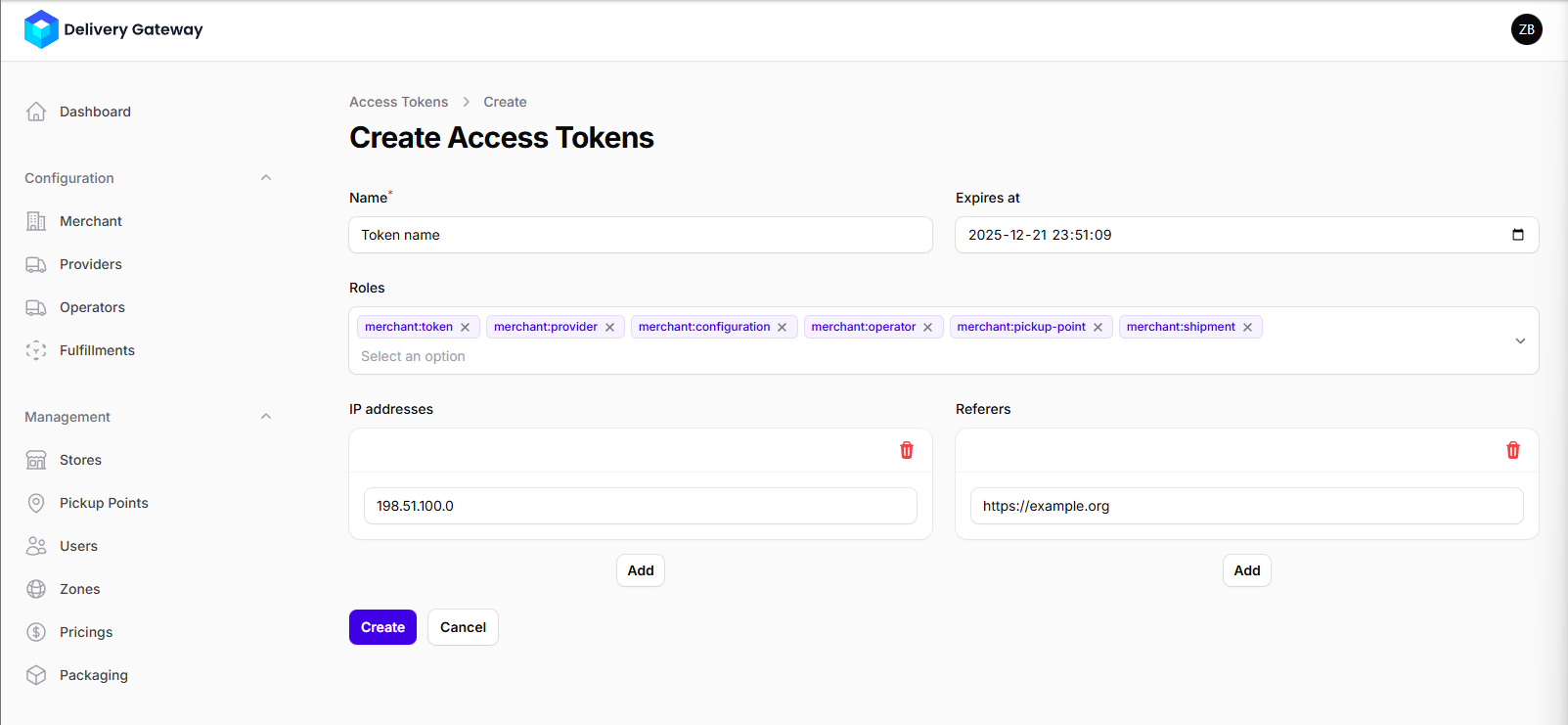
-
Optionally, create an allowlist for the token: click Add to set IP addresses and HTTP referers that are allowed to send requests. You can add as many as you need: click Add again for more input fields.
-
When done, click Create.
-
Copy your token from the dialog.
warningIf you close the dialog without copying the token, you won't be able to retrieve it again.