HTTP referrers for the embedded UI
You can restrict access to the Delivery Gateway embedded UI: define allowed HTTP referrers to make sure only authorized platforms and services can integrate the UI with your merchant ID.
warning
We strongly recommend setting allowed HTTP referrers. Without it, anyone with access to your merchant ID can set up the Delivery Gateway frontend integration using your account.
To set up allowed HTTP referrers:
- Log in to the Delivery Gateway admin dashboard.
- In the left menu bar, find Configuration, and select Merchant.
-
Under Integration, find Allowed HTTP referrers for embedded UI.
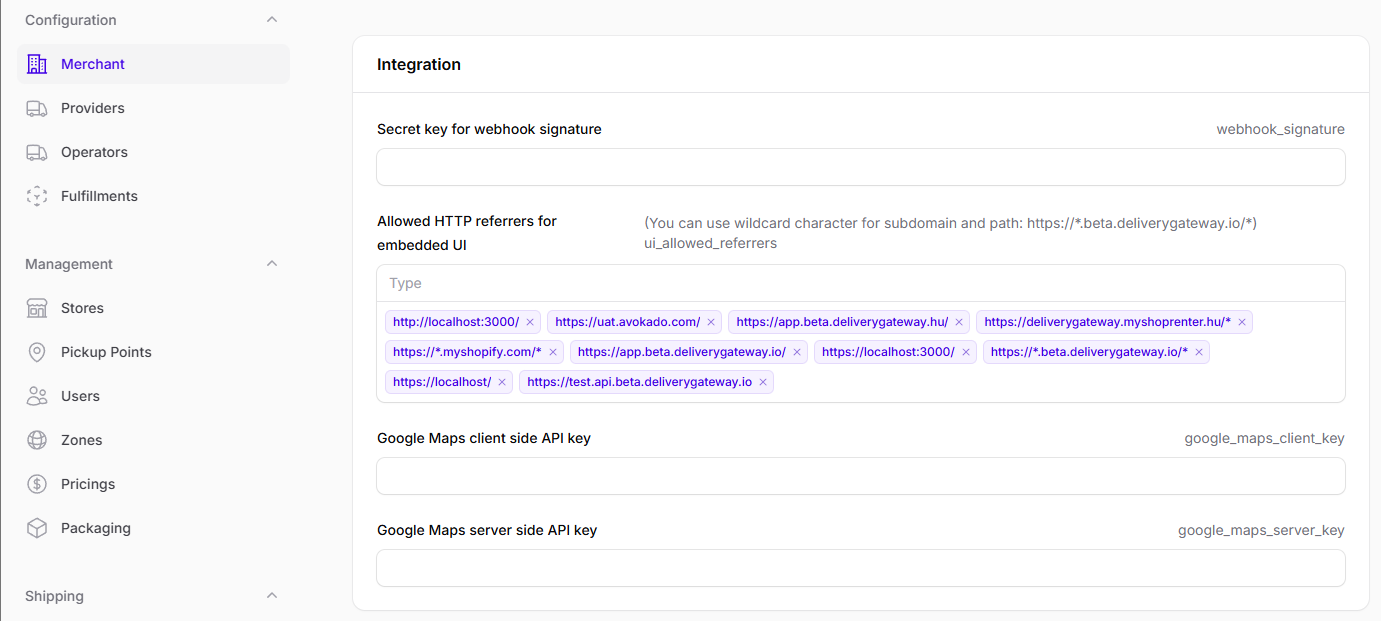
-
Add the HTTP referrers you want to grant access to.
- You can add multiple referrers. Type the referrer path and then hit enter to add the next.
- You can use a wildcard character for subdomain and path: for example,
https://*.beta.deliverygateway.io/*